AI agents in procurement, step by step: one order from request to ERP
AI in procurement, in the form of an agent, takes over the routine middle of buying: it turns a request into a purchase order, chases the supplier for a confirmation, reads the reply, compares it with the order and writes the result into the ERP. Reading the email is the easy part. When a supplier confirms 7 days late, an order placed at the reorder point drops from a 95% to a 76% chance of arriving before the stock runs out, and the agent is only as useful as what it does with that date. Microsoft’s Dynamics 365 Procurement Agent, Zalion and Didero show three ways to build parts of it.
One order, five steps
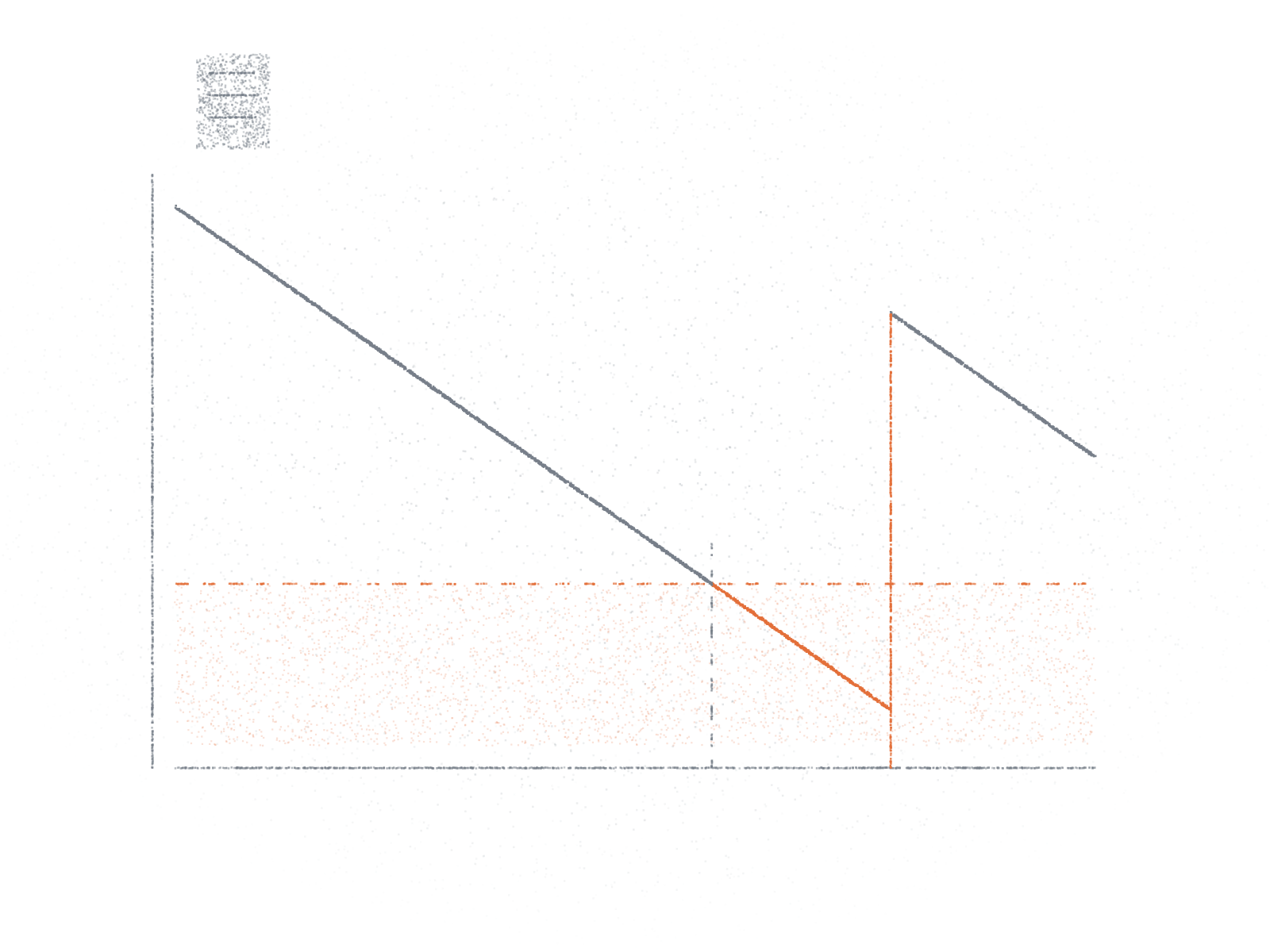
Each step below: what a buyer does by hand, what an agent does, and what it hands back. The figure is a generic outline of the steps, not any one product; the orange hand-back is what this post argues for, not a feature of the products named.
a Request
Agent doesTurns a need or a planning signal into a requisition or a draft purchase order
Hands backThe draft, for approval as your policy says
b Purchase order
Agent doesIssues the order to the supplier
Hands backThe order as sent; the confirmation now expected
c Follow-up and confirmation
Agent doesReminds the supplier if nothing came back; reads the reply and matches it to the order
Hands backA reminder, drafted or sent; the reply matched to its order lines
d Change
Agent doesCompares date, price and quantity with the order, field by field, against a tolerance
Hands backA decision for the buyer, and what the new date does: 7 days late, 76% instead of 95%Person signs off
e ERP update
Agent doesWrites the confirmed, edited or kept values back to the order
Hands backThe updated order and a trail: before, after, and what the supplier sent
a–b. Request and purchase order
- By hand, a buyer turns a requisition (in SAP, a BANF) into a purchase order. Footprint’s VP of Procurement, Logistics & Contract Manufacturing, in Didero’s case study: “We were spending half our time creating POs.”
- Zalion’s intake agent creates the requisition: “BANF in SAP anlegen” (create a purchase requisition in SAP).
- Didero: at Footprint, “Didero deployed AI agents to handle routine PO creation and supplier follow-up”, with exceptions routed to buyers, in Sage X3. Its PO management covers “issuing purchase orders and managing supplier acknowledgements”.
- What comes back to the buyer: a draft requisition or order to approve under your approval rules, or the order as sent, with a confirmation now expected. The Microsoft features covered here start once the order is out.
- In EDI the order, the acknowledgement and the change are separate messages: the X12 850 order “should not be used to convey purchase order changes or purchase order acknowledgment information”; the 855 is the seller’s acknowledgement, 860 and 865 carry changes.
c. Follow-up and confirmation
In SAP a confirmation control key, a setting on the order, “determines which confirmations are expected from the vendor”, and SAP can send reminder letters automatically for confirmations that haven’t arrived. Much of the rest is email. Microsoft describes supplier communication as “unstructured” and conducted by email even where EDI is in place, and many small suppliers have no ERP to send a structured reply from: in 2025, ERP use in the EU “ranged from 41% for small enterprises to 89% for large enterprises”.Eurostat news, 20 May 2026. In EDIFACT (EANCOM ORDRSP) a reply says “29 = Accepted without amendment” or “4 = Change”, and dates come as “102 = CCYYMMDD”. An email has no such codes.
What the three do from here:
| Step | Microsoft | Zalion | Didero |
|---|---|---|---|
| c Follow-up | Generates emails “that remind vendors to confirm a purchase order or ask why a delivery is late”; sorts incoming mail, e.g. “Purchase order change request” | A reminder when nothing arrived “within N days after the purchase order was sent”, then a second reminder and escalation; reads each confirmation “from the connected shared mailbox or an SFTP drop” and matches each to its order | In the Echelon case: “Initial outreach at 48 hours, then every 24 hours”; “a confirmed delivery date, ship date, and PO match are required” |
| d Change | A price change is flagged as a “commercial change” for the buyer; date changes are shown for the buyer to accept; an impact analysis marks a change “Has impact” or not | Deviations such as “a later delivery date, a higher price, a reduced quantity”, with tolerances per field; the buyer can Accept, Reject, Use PO value or Edit | “Delivery dates are refreshed against” the customer’s lead-time rules (Echelon); “a difference in price, quantity, or payment terms” becomes a task for the buyer (Footprint) |
| e ERP update | The buyer applies the suggestions, seeing “the original email, the current information in the system, and the changes proposed”; mappings marked “low confidence” go to the buyer | Confirm Purchase Order “writes the confirmed, edited, or deliberately kept ordered values back to the ERP”, with an audit-trail entry | Writes into the customer’s ERP: Epicor at Echelon, Sage X3 at Footprint |
d–e. A changed date, and the ERP
Dates move for reasons the supplier knows and the buyer doesn’t: a manufacturer that can’t schedule the order at once faces “the choice of delaying the confirmation of the customer order or adding significant buffers”.Rokoss et al., Journal of Intelligent Manufacturing, 2024, introduction; the paper’s case study covers two German contract manufacturers.
The new date has to land where planning reads it. Dynamics 365 keeps the requested and the confirmed date as separate fields, and confirming an order creates a journal with “an exact copy of what was confirmed”. In SAP a recorded confirmation can replace the order’s planned receipt in MRP. Reorder points and MRP run on that date, not on the email.
The date that matters
The item is the Safety stock tool’s default, not any company’s data:
- demand 1,000 units a month, give or take 250; €8 a unit
- supplier lead time 21 days, give or take 5
- a 95% cycle service level: the stock lasts until the delivery in 95 of 100 order cycles
- so a safety stock of 436 units (€3,486, about 13 days of demand) and a reorder point of 1,126 units
The buyer places the order at the reorder point. Then the supplier confirms a later date.Open the example in the Safety stock tool. The chance is the normal curve at (reorder point − demand over the new lead time) ÷ its spread, with the lead time still ± 5 days, since a confirmed date can move again. With the date taken as certain it is 80% at 7 days and 46% at 14: the reading is the same.
| Supplier confirms | Lead time, days | Chance the stock lasts until delivery | Units expected left on arrival |
|---|---|---|---|
| On time | 21 | 95% | 436 |
| 3 days late | 24 | 89% | 337 |
| 5 days late | 26 | 83% | 271 |
| 7 days late | 28 | 76% | 206 |
| 10 days late | 31 | 64% | 107 |
| 14 days late | 35 | 47% | 25 short |
Said the way a buyer acts on it:
- 3 or 5 days late: the buffer already allows for part of this, since the lead time’s usual spread is 5 days. The chance falls to 89% or 83%.
- 7 to 10 days late: about half the safety stock is expected to go at 7 days (206 of 436 units left on arrival), about three quarters of it at 10 (107 left). Ask the supplier for a ship date, and check whether another open order or another site can cover the gap.
- 14 days late: all of it and some more, about 25 units short on average. Expedite, or ask for part of the order to be delivered early.
This assumes it is the item’s only open order: 1,008 units is about a month’s demand and the lead time is 21 days, so no other delivery covers the gap. A different question is what this supplier’s next orders need if 28 days is now the normal lead time: a buffer of 478 units, not 436.
So the useful hand-back at step d is not “email classified”. It is the new date in the field planning reads, and next to it what that date does to this order.
Design choices
The three products answer the same four questions differently:
| Choice | Microsoft | Zalion | Didero |
|---|---|---|---|
| Draft or send | Drafts by default. Automatic sending is “optional and … turned off by default”; Microsoft advises using it “only after you test and review drafted emails over a long period” | An Auto send toggle per rule: the agent “only prepares the mail or sends it on its own” | In the Echelon case, “Autonomous Follow-Ups”: outreach at 48 hours, then every 24, with buyer escalation “only after all attempts are exhausted”. Default: not stated on its pages |
| Who accepts a change | The buyer applies each suggestion; a price change is a “commercial change” | Within the tolerance per field, accepted automatically when the rule “Auto confirm when everything matches within tolerance” is active; otherwise the buyer decides | A confirmation that differs in price, quantity or payment terms becomes a task for the buyer (Footprint case) |
| Where the buyer works | Inside the ERP: original email, current data and proposed changes side by side | A separate work list next to the ERP, with an audit-trail entry for each write | Exceptions routed to buyers as tasks (Footprint and Echelon cases) |
| How it is priced | Copilot Studio credits: “a fixed cost per run and a variable cost that depends on the resources it consumes” | Per module: “je eingesetztem Agenten-Modul” (per agent module used) and processed volume, “nicht nach der Anzahl Ihrer Nutzer” (not by number of users) | Not stated on its pages |
What each choice buys:
- Drafts put a person in front of every supplier email; sending empties the buyer’s queue, and a mistake reaches the supplier.
- Tolerances save touches on small slips; every change to a person means nothing commits the company unseen. For the item above, the worked example puts a date tolerance near the lead time’s usual spread (5 days), not a week.
- Inside the ERP means no second tool; a separate work list can sit on several ERPs at once.
- Per run or per volume makes the cost follow the number of orders, not the number of buyers.
Where it breaks
These limits belong to the method, not to a product.
- A changed confirmation is a new offer, not a yes. Under the UN sales convention a reply with changes to “price, payment, quality and quantity of the goods, place and time of delivery” is “a rejection of the offer and constitutes a counter-offer”; German law says the same. An agent that accepts a later date on its own commits the buyer.CISG Art. 19(1) and (3); Art. 18(1): “Silence or inactivity does not in itself amount to acceptance”, though conduct such as taking the delivery can. BGB § 150(2): “Eine Annahme unter Erweiterungen, Einschränkungen oder sonstigen Änderungen gilt als Ablehnung verbunden mit einem neuen Antrag.” US law differs: under UCC § 2-207 a confirmation that “states terms additional to or different from those offered” can still operate as an acceptance, unless acceptance “is expressly made conditional on assent”. Our reading, not legal advice: a changed date or price is something to decide on, not to file.
- Who may accept is a policy, not a model output. In Oracle’s iSupplier Portal change workflow, “All change requests made by the supplier need to be approved or rejected by the buyer”, for changes to “promised date, quantity, price, or shipment amount”. In Dynamics 365 a changed order can need approval again under a re-approval rule.
- The price change can arrive as prose. Some supplier portals take a changed date or quantity as a field but a price only as a note, and email has no fields at all, so the change most in need of a decision often comes as free text.Portals differ: some take a changed unit price as a field, others take price changes only as notes. See the Oracle iSupplier Portal and Dynamics 365 vendor collaboration pages under Sources.
- One line, several dates. A supplier can “Split lines for different receipt dates or quantities”. Software that maps one email to one order line has to handle splits and partial confirmations.
- Units. SAP keeps an order unit and an order price unit (screws ordered by the box, priced by the kilogram): a supplier quoting per kilogram against a line in boxes reads like a price change when it isn’t.
- Confirmed, then silent. Standard reminders chase missing confirmations. Once a date is confirmed, a slip shows only when the supplier says so, the date passes, or someone asks again. Agents can ask again: for example, Microsoft’s follow-up scenarios include “Delayed purchase orders” and “Get tracking number” for “confirmed purchase orders that have an upcoming delivery date but no shipment tracking number or carrier”.
- Plausible and wrong. NIST calls it confabulation: “confidently stated but erroneous or false content”. An extracted date can look right. EDI fixes the format (“102 = CCYYMMDD”); an email’s “03/04” doesn’t say which month.
- Edits need a trail. Germany’s bookkeeping principles (GoBD) say records must not be changed so “dass der ursprüngliche Inhalt nicht mehr feststellbar ist” (that the original content can no longer be seen), and changes “müssen … protokolliert werden” (must be logged).BMF, GoBD of 28 November 2019, Rz. 58–59. Our reading: whether a given purchase order is a record the tax rules cover is for your tax adviser; ask the vendor what each write leaves behind anyway.
- Reminders go to whoever is on file. In vendor portals such as Dynamics 365’s, the supplier keeps its own contact persons. A wrong contact makes a perfect reminder useless, and no credible figure says how common that is.
Questions to ask a vendor
- Which emails does it send on its own, and which does it draft for us, by default and after setup?
- Which supplier changes does it accept without a person, and where do we set the tolerance per field?
- When a supplier changes a date, does the new date reach the field our planning runs on, and who sees what it does to the order?
- What happens with a split or partial confirmation, a price in different units, or a reply in a format it can’t read?
- How does it show us that a date or price it extracted could be wrong, and what does it do when it isn’t sure? Ask for a demo on a batch of your own supplier emails: dates like 03/04, split lines, prices per kilogram.
- What does each write to our ERP leave behind: who made it, what was there before, what the supplier sent?
- Do we pay per user, per run, per agent module or by volume, and what drives the bill up?
- Once a date is confirmed, does it ask again before the delivery is due?
- What happens when a reminder bounces or the supplier contact on file is wrong?
How the minimum order quantity and the order size fit around this: What is a minimum order quantity? And why 95% of cycles is not 95% of demand: Safety stock: 95% of what?
Companies in this post
| Company | Based | What it does here |
|---|---|---|
| Microsoft (Dynamics 365 Supply Chain Management, Procurement Agent) | United States | Supplier communications inside the ERP: reminders, reading replies, changes for the buyer to apply; status “production-ready preview” |
| Zalion | Heilbronn and Munich (HQ) | AI agents for industrial procurement on SAP, Ariba, Coupa and Ivalua; an order confirmation agent with reminders, tolerances and write-back |
| Didero | United States | “AI agents that execute direct spend workflows across procurement”, on the customer’s ERP, for manufacturers and distributors |
Checked on 17 November 2026 against: Microsoft Learn’s Procurement Agent overview, supplier communications, follow-up emails, applying changes from email and the FAQ; Zalion’s home page, imprint and knowledge base: order confirmation agent, reminders and escalation, deviations and tolerances, supported use cases, write-back; Didero’s agentic systems page and case studies with Echelon and Footprint.
Also building this
Other companies building agents for these steps, from their own pages on 17 November 2026:
- Lio: its product page shows a purchase order “sent to supplier”, “confirmation requested by email” and an agent that “follows up if the supplier is late” (multi-agent system).
- Riff: “Agents release the order, chase the confirmation over email, and set the confirmed date and price in the ERP” (procurement).
- Tacto (Munich): an Order Confirmation Agent that “checks order confirmations and drafts the response on deviations” (Tacto Intelligence).
Sources
- X12, Transaction sets: 850 Purchase Order, 855 Purchase Order Acknowledgment, 860 and 865 changes.
- GS1 Austria, ORDRSP, EANCOM 2002 (Fashion profile, 2020).
- SAP Help, confirmation control and order price unit; SAP Learning, Monitoring purchase orders.
- Microsoft Learn, requested and confirmed dates, purchase order approval and confirmation, vendor collaboration.
- Oracle, iSupplier Portal: change requests (E-Business Suite 12.2).
- Eurostat, news of 20 May 2026 on ERP use.
- Rokoss, A. et al. (2024), Journal of Intelligent Manufacturing, doi:10.1007/s10845-023-02290-2.
- UNCITRAL, United Nations Convention on Contracts for the International Sale of Goods, Arts. 18 and 19.
- BGB § 150, Verspätete und abändernde Annahme.
- UCC § 2-207, Additional terms in acceptance or confirmation.
- NIST, AI 600-1, Generative AI profile (2024).
- BMF, GoBD of 28 November 2019 (copy published by the Bavarian tax office), Rz. 58–59.
- Company pages as listed under Companies in this post, read 17 November 2026.
- Safety stock and the chance the stock lasts: computed in the post by the Safety stock tool’s engine.
Not affiliated with any company named. Based on public sources as of 17 November 2026.
A planning explanation, not legal advice. The legal texts quoted are the ones named; your contract and the law that governs it are the ones that apply.
Keep reading
Topics: Procurement